4
Introduction
If you’ve sent a parcel or Speed Post through India Post and want to know where it is, you likely searched indiapost gov in tracking. India Post’s official website provides an online tool that lets you check the real-time delivery status of your packages and letters using a unique consignment number.
What Is IndiaPost Gov In Tracking?
Indiapost gov in tracking refers to the tracking service on the official India Post website that allows senders and recipients to monitor the journey of parcels, Speed Post, and registered mail items online using a consignment number.
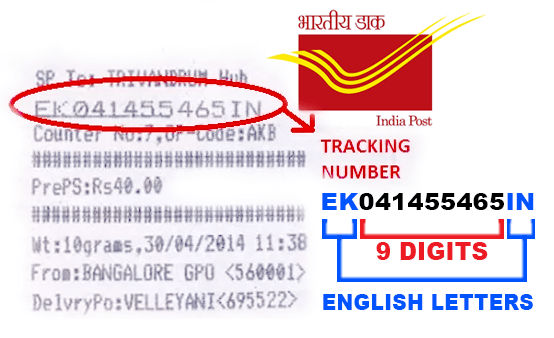
Each trackable item is given a 13-character tracking (consignment) number, which you use to get status updates.
How to Use Indiapost Gov In Tracking
Follow these steps to check your shipment:
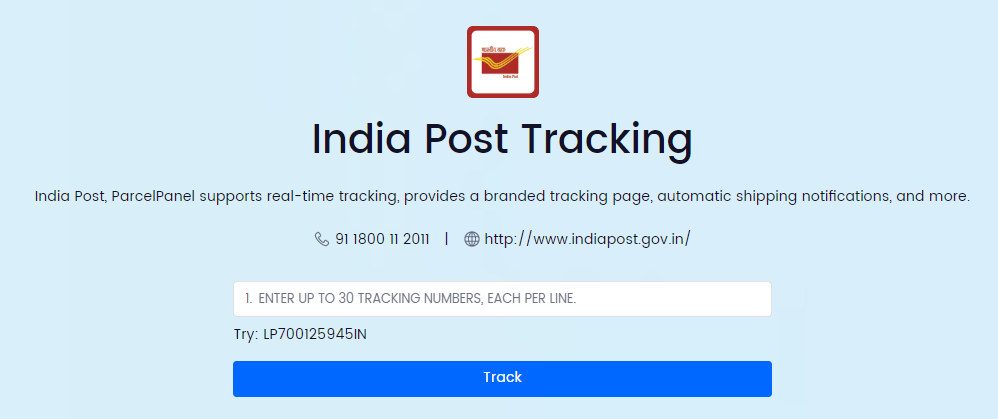
- Visit the official India Post site
Go to www.indiapost.gov.in, India Post’s official website. - Locate the Track & Trace tool
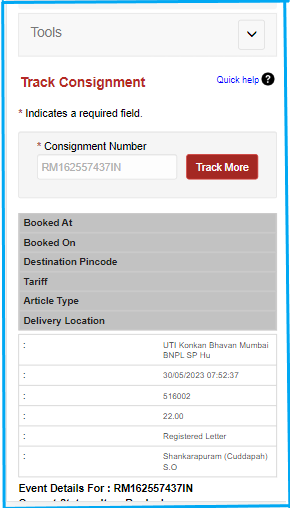
On the homepage, find the “Track Consignment” or “Track & Trace” section. - Enter your consignment number
Input the 13-character tracking number from your receipt. - Complete the captcha/security check
This confirms you’re not a robot. - Click Track/Submit
You’ll see the current location and progress of your item.
This is the standard online tracking process referenced when people search indiapost gov in tracking.
What You Can Track on India Post
You can use indiapost gov in tracking for these services:
- Speed Post parcels
- Registered letters and packages
- Domestic and international consignments
- Other Mail items with tracking enabled
Some items like ordinary letters do not support online tracking.
How Tracking Works
When a parcel moves through the postal network, it gets scanned at various points. The scans update the tracking status that you see online, such as:
- Item Booked
- Item Received at Facility
- Dispatched to [Location]
- Out for Delivery
- Delivered
These updates show you exactly where your item is in its delivery journey.
Alternative Ways to Track Your India Post Parcel
SMS Tracking
You can also track by SMS:
POST TRACK <tracking number>
Send this to 166 or 51969 and you’ll get the latest status via message.
Mobile Apps
India Post’s official apps (like Postinfo) and third-party tracking apps can also help monitor your shipment from your smartphone.
Third-Party Tracking Sites
Websites like TrackCourier.io or TrackTry provide tracking interfaces that use the same India Post data.
Tips When Using Indiapost Gov In Tracking
- Ensure you enter the full 13-character consignment number correctly.
- Tracking updates may take a few hours after booking to appear.
- If the site shows no updates yet, try checking again later or contact your post office with the consignment number.
What If Tracking Isn’t Updating?
Sometimes the consignment may not show new scans immediately due to delays in scanning at transit points. Wait a few hours and retry. If it still doesn’t update after a day or two, you can contact India Post customer care with your tracking number.
Why Tracking Matters
Using indiapost gov in tracking lets you:
- Stay informed about delivery status
- Get peace of mind on important mail
- Know when to expect delivery
- Provide proof of shipping and delivery progress
This is especially useful for official documents, job applications sent by post, business parcels, and important personal mail.
Conclusion
Indiapost gov in tracking is the official and most reliable way to check the real-time status of your India Post shipments. Just enter your unique consignment number on the India Post tracking page and see where your parcel or Speed Post item is in its journey — no guesswork needed.
Using this service regularly ensures you’re always up to date on delivery progress and helps you plan accordingly, whether you’re sending documents, gifts, or business parcels.
Would you like a simple step-by-step visual guide you can print or save for future tracking?
Leave a Reply